



Clients
This tab displays all clients that have already been issued certificates by the administrator or for which the certificate issuance job has not yet been executed. You will see info about the client's certificate number, the validity period, and the distribution mode.
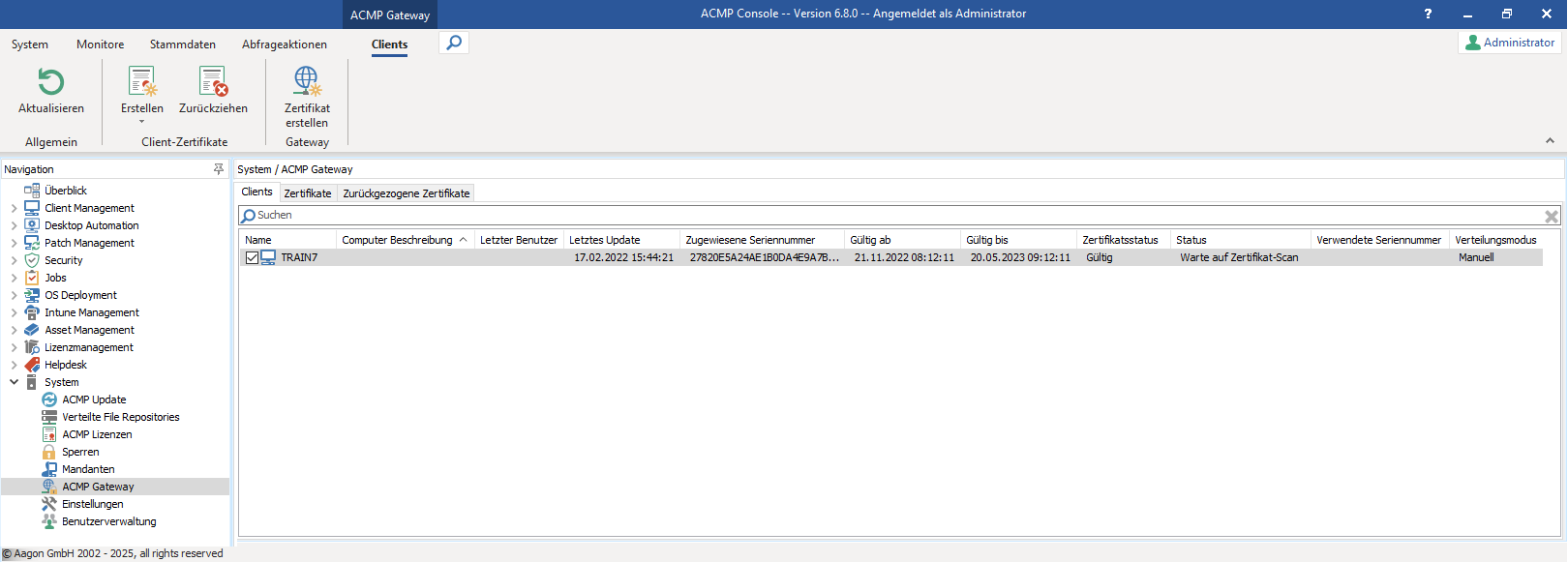
acmp Gateway Clients
Use Create in the ribbon bar to create a certificate and select the distribution mode based on the Client:
| Automatic | Used for clients currently on the local network. On the local network, the acmp Server can push the job to the client. If the client later changes locations—for example, to a home office—the Gateway recognizes this certificate as valid and grants authorization. |
| Manual | This is used for clients where you explicitly distribute the certificate manually. To install such a certificate on a client, follow the steps in the wizard. You can manually specify the certificate validity period as well as the output directory. Finally, restart the machine or the acmp Agent service to manually distribute the certificate. |
In addition to issuing certificates, you can also revoke them. This option is useful, for example, if a certificate has been compromised. Revoked certificates are locked and automatically added to the Gateway's certificate revocation list.
Create a Client Certificate for Automatic Deployment
For clients currently on the local network, click Create > Automatic Deployment on the ribbon bar.
In the wizard that opens, select the clients in a Query that are to receive certificates. Then specify the period for which the certificates should be valid. By default, the validity period is limited to 180 days. Click Run to issue the certificates.
Clients with certificates that are about to expire will automatically be provided with new certificates via a server job. This server job can be disabled in Scheduled Server Tasks if necessary.
The clients with the corresponding certificate will then appear in the Clients tab.
Create a Client Certificate for Manual Deployment
In addition to creating a certificate for automatic deployment, you can also create certificates for manual deployment. Since creating certificates for manual deployment involves a more extensive process than creating certificates for automatic deployment, this is described in a separate Use Case.