



Produktschlüssel
 Hinweis:
 In Unternehmensumgebungen werden Windows-Betriebssysteme häufig über Volumenlizenzverträge aktiviert. Microsoft stellt hierfür zwei zentrale Aktivierungsmethoden bereit: den Key Management Service (KMS) und den Multiple Activation Key (MAK). Beide Verfahren dienen dazu, Windows-Installationen rechtskonform zu lizenzieren, unterscheiden sich jedoch in ihrer Funktionsweise und ihrem Einsatzgebiet.
Bei der KMS-Aktivierung richtet das Unternehmen einen eigenen KMS-Server im internen Netzwerk ein. Alle KMS-Clients im Netzwerk aktivieren sich anschließend automatisch über diesen Server und erneuern ihre Aktivierung in regelmäßigen Abständen (standardmäßig alle 180 Tage).
Die MAK-Aktivierung hingegen erfolgt direkt über die Microsoft-Aktivierungsserver im Internet. Jeder MAK-Schlüssel verfügt über ein begrenztes Aktivierungskontingent.
Installationen von Windows, die über Volumenlizenzmedien bereitgestellt werden, sind standardmäßig als KMS-Clients vorkonfiguriert. Sie enthalten bereits den entsprechenden generischen KMS-Client-Setupschlüssel (GVLK) und benötigen in der Regel keine weitere Konfiguration. Das System versucht automatisch, einen KMS-Server im Netzwerk zu finden und sich dort zu aktivieren.
Wird jedoch ein System von einer anderen Lizenzierungsform (z. B. MAK, Retail-Version oder KMS-Host) auf den KMS-Clientbetrieb umgestellt, muss der passende GVLK manuell installiert werden. Dieser generische Schlüssel teilt Windows mit, dass es künftig den internen KMS-Dienst zur Aktivierung verwenden soll. Die GVLKs sind von Microsoft öffentlich dokumentiert und für jede unterstützte Windows-Edition verfügbar.
Eine vollständige Übersicht stellt Microsoft zur Verfügung.
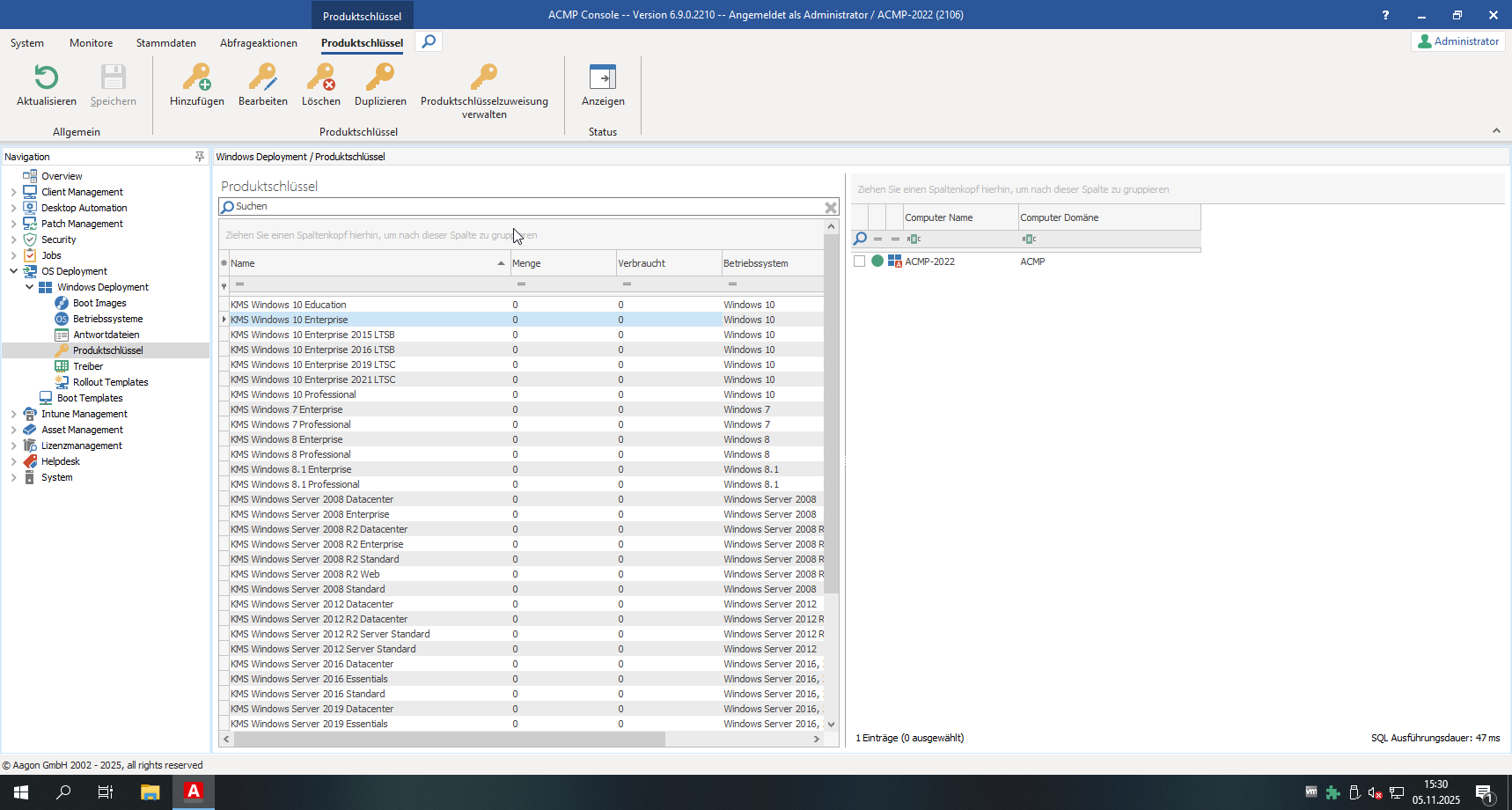
Arbeitsbereich
Standardmäßig werden in acmp die Standard KMS Produktschlüssel von Microsoft mitgeliefert und im Arbeitsbereich unter OS Deployment >Windows Deployment > Produktschlüssel aufgelistet.
Produktschlüssel hinzufügen
Wenn Sie einen erworbenen Produktschlüssel hinzufügen möchten, unabhängig davon, ob es ein MAK oder KMS Schlüssel ist, navigieren Sie in der Ribbonleiste unter Produktschlüssel > Hinzufügen.
Es öffnet sich ein Wizard, in welchem Sie alle Informationen zum Produktschlüssel hinterlegen.
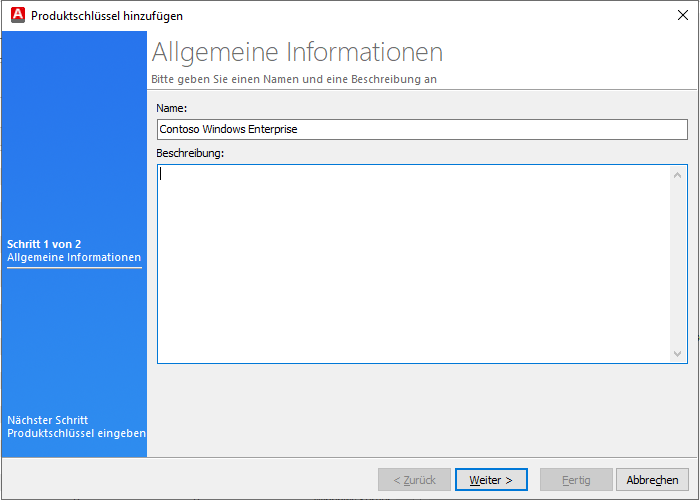
Allgemeine Informationen zum Produktschlüssel
Auf der folgenden Seite tragen Sie den Produktschlüssel, die Menge, die Architektur, das Betriebssystem sowie die Edition ein.
Unter Wird benutzt für können Sie dann, abhängig von dem Produktschlüssel, angeben, für welche Art von Lizensierung der Schlüssel genutzt wird:
- Installation
- Aktivierung
- Installation und Aktivierung
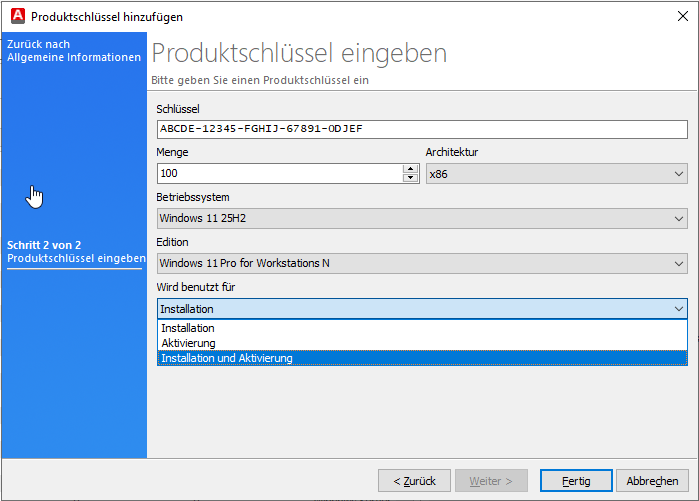
Konkrete Informationen zum Produktschlüssel
Klicken Sie dann auf Fertig.