



Release Client Command
In the Release phase, you can finally release a Client Command for use. Only then will the clients know the Client Command version and be able to execute it.
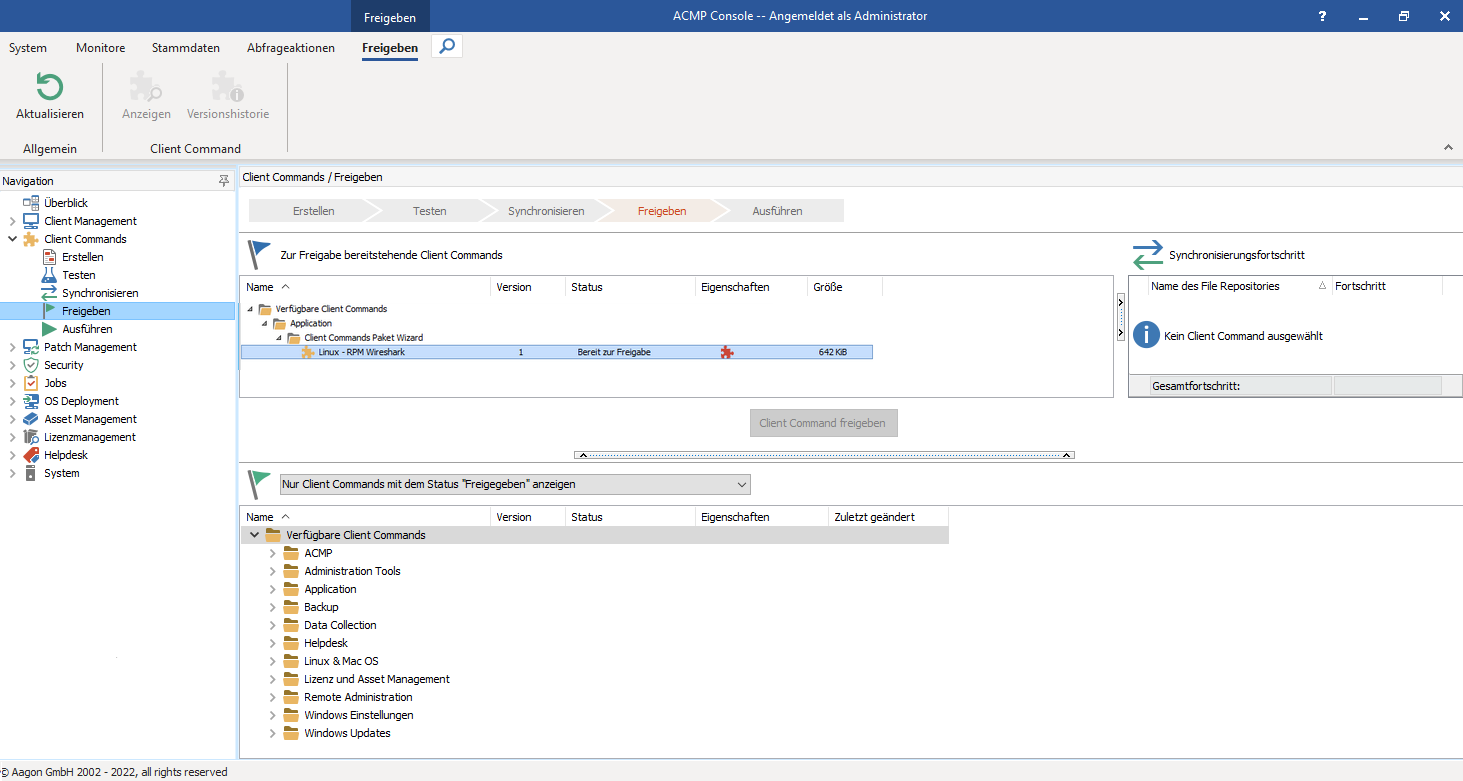
Relase phase
In the upper view, Client Commands are displayed with the status “Synchronizing” or “Ready for Release.” As soon as you select a Client Command here, the view on the right displays all file repositories along with the current transfer status of the files associated with that Client Command. At this point, the Synchronization phase overlaps with the Release phase.
Release Client Command
You can now select a Client Command and click the “Release Client Command” button. The Client Command is released to the clients and receives the status “Released.” Normally, however, you should wait until all file repositories have fully synchronized the Client Command’s data. If a client executes the Client Command before its associated file repository is synchronized, the next older version will be used. This may lead to complications under certain circumstances.
As soon as you want to release a Client Command, you will be asked whether all prior versions should be disabled (revoke release - see Version History). If you decline this prompt, all older versions will also be synchronized, which can result in a fairly high network load. werden sollen.
Client Command Properties
| Part of the Client Command is executed in the acmp Console. |
| Part of the Client Command is executed on the client. |
| The Client Command has at least one released version. |
The Client Command can only be synchronized with selected file repositories. | |
| The Client Command can be executed via the acmp Kiosk. |
The client command is password-protected. |


It is possible for multiple versions of a client command to be released simultaneously. When this client command is executed, the client accesses the current released version available in its assigned file repository.
 Note:
Note: